対象:PowerPoint2007, PowerPoint2010, PowerPoint2013
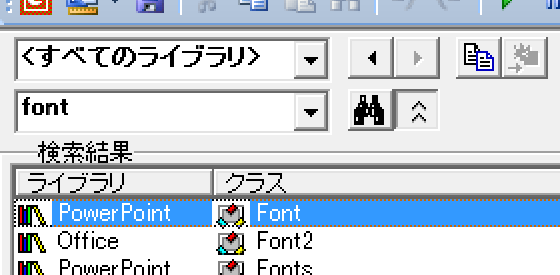
PowerPoint VBAの似たようなオブジェクトの、プロパティ・メソッドの比較をしやすくするために一覧記事をいくつかご紹介しています。
- TextFrame・TextFrame2オブジェクトのプロパティ
- TextRange・TextRange2オブジェクトのプロパティ・メソッド
- ParagraphFormat・ParagraphFormat2オブジェクトのプロパティ
他にも似た「2」つきのオブジェクトがあります。
FontオブジェクトとFont2オブジェクトです。
これも一覧にしておきます。
[スポンサードリンク]
FontオブジェクトとFont2オブジェクトのプロパティ
PowerPoint 2003から2007にバージョンアップしたときに、設定できるフォント書式が結構増えました。それらはFont2オブジェクトに含まれているのだということが、この一覧を眺めていると見えてきます。
| PowerPoint.Font | Office.Font2 | ||
|---|---|---|---|
| 名前 | 戻り値 | 名前 | 戻り値 |
| - | - | Allcaps | MsoTriState |
| Application | Application | Application | Object |
| AutoRotate Numbers | MsoTriState | Autorotate Numbers | MsoTriState |
| BaselineOffset | Single | BaselineOffset | Single |
| Bold | MsoTriState | Bold | MsoTriState |
| - | - | Caps | MsoTextCaps |
| Color | ColorFormat | - | - |
| - | - | Creator | Long |
| - | - | Double StrikeThrough | MsoTriState |
| Embeddable | MsoTriState | Embeddable | MsoTriState |
| Embedded | MsoTriState | Embedded | MsoTriState |
| Emboss | MsoTriState | - | - |
| - | - | Equalize | MsoTriState |
| - | - | Fill | FillFormat |
| - | - | Glow | GlowFormat |
| - | - | Highlight | ColorFormat |
| Italic | MsoTriState | Italic | MsoTriState |
| - | - | Kerning | Single |
| - | - | Line | LineFormat |
| Name | String | Name | String |
| NameAscii | String | NameAscii | String |
| NameComplex Script | String | NameComplex Script | String |
| NameFarEast | String | NameFarEast | String |
| NameOther | String | NameOther | String |
| Parent | Object | Parent | Object |
| - | - | Reflection | ReflectionFormat |
| Shadow | MsoTriState | Shadow | ShadowFormat |
| Size | Single | Size | Single |
| - | - | Smallcaps | MsoTriState |
| - | - | SoftEdgeFormat | MsoSoftEdgeType |
| - | - | Spacing | Single |
| - | - | Strike | MsoTriState |
| - | - | StrikeThrough | MsoTriState |
| Subscript | MsoTriState | Subscript | MsoTriState |
| Superscript | MsoTriState | Superscript | MsoTriState |
| Underline | MsoTriState | - | - |
| - | - | UnderlineColor | ColorFormat |
| - | - | UnderlineStyle | MsoText UnderlineType |
| - | - | WordArtformat | MsoPreset TextEffect |
最終更新日時:2021-11-02 16:08
[スポンサードリンク]
Home » パワーポイントマクロ・PowerPoint VBAの使い方 » TextFrame・TextRange » PowerPointのFontとFont2のプロパティ比較一覧
 『インストラクターのネタ帳』では、2003年10月からMicrosoft Officeの使い方などを紹介し続けています。